GUIDE · CUSTOM SOFTWARE
CUSTOM SOFTWARE: BUILT AROUND YOUR BUSINESS.
Your team knows how the work needs to be done. Your software covers only part of it, leaving extra lists, emails and small workarounds to fill the gaps. Custom software can bring the necessary steps together and provide the functions people need. It gives your business a tool that can develop as its requirements change.
Author: Michael Labitzke, Technical Director, Cyntro Systems · Updated:
AT A GLANCE
- Support workflows that your existing software does not cover well.
- Provide the information and functions needed for each task.
- Make documented rules and business knowledge available during work.
- Develop new features according to your priorities.
- Keep proven software where it continues to do its job.
A WORKFLOW THAT FITS YOUR BUSINESS.
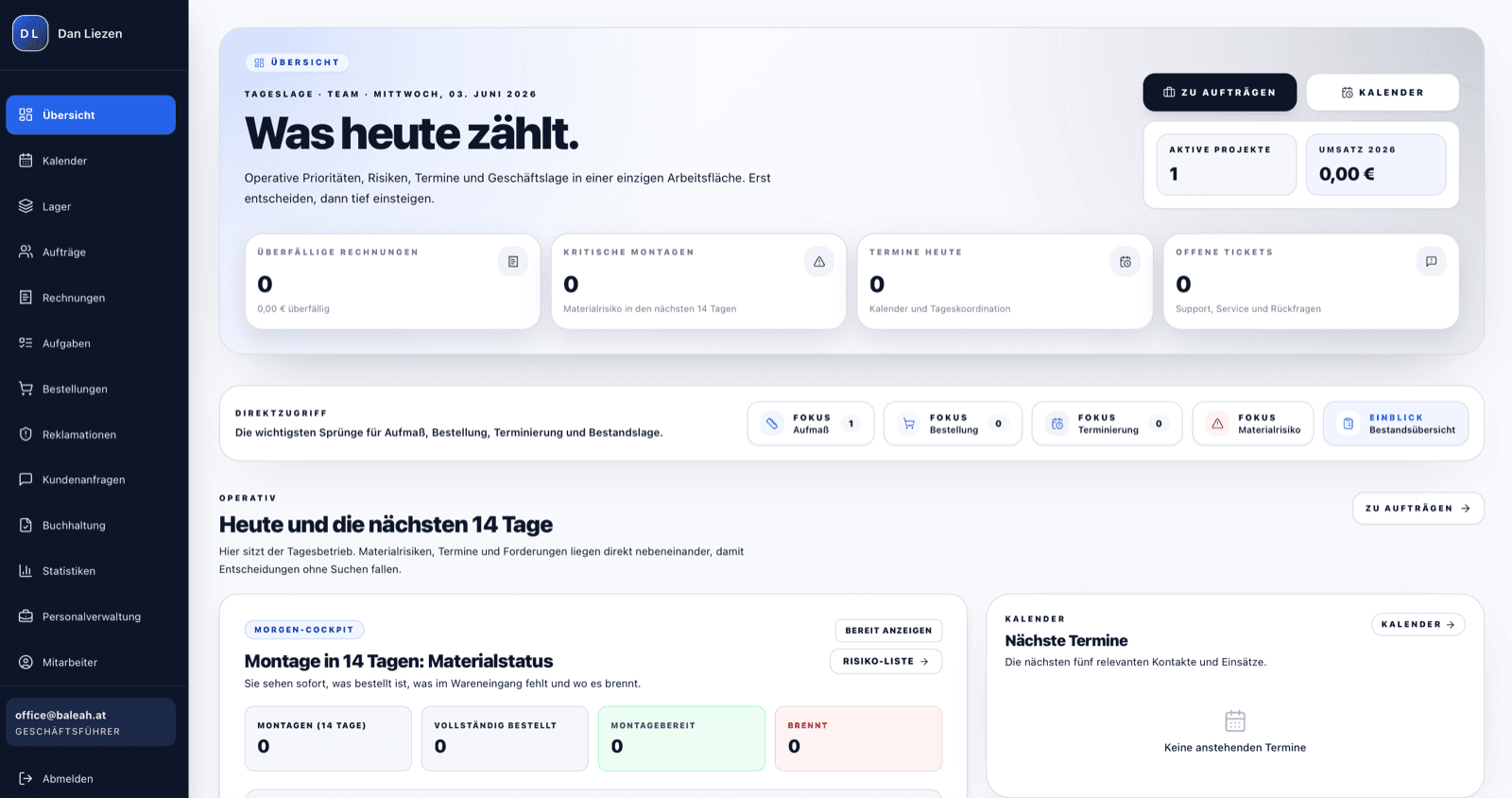
An order needs certain details, an approval and the right documents for the people doing the work. Your business has an established way of handling it. When the software covers only part of that process, your team fills the gaps manually. Custom software can connect the steps: details stay with the order, responsibilities are clear and the next person can work from the existing record. The necessary steps and exceptions are discussed with the people who handle them every day.
THE RIGHT TOOLS FOR EACH TASK.
Someone working on site needs different information from someone in the office. One person wants to add a photo to an order, another to prepare an appointment, and a manager to review outstanding work. A suitable application can provide clear views for these tasks, with the relevant functions where people need them. Unnecessary fields and complicated routes through menus can be avoided. Real tasks show what people find understandable, so feedback from the eventual users belongs in the development process.
BUSINESS KNOWLEDGE PEOPLE CAN USE.
Often one person knows exactly which documents can wait, when approval is needed or what is unusual about a particular customer. If that knowledge is only passed on verbally, others have to keep asking. A custom application can put documented rules, notes and checks alongside the work itself. This supports handovers and helps new staff find their way. Not every exception can be planned in advance, so unusual cases still need a clear decision-maker and a way to record the decision.
SOFTWARE THAT DEVELOPS WITH YOU.
A new location, an additional service or changing roles also change what you need from your software. With a custom solution, you can decide which addition is needed next. A new view, an extra check or a connection to another system can be planned specifically. These changes still require work, testing and ongoing support. The advantage is that your business priorities set the direction. A manageable first version with a clear purpose is often a better starting point than trying to cover everything at once.
OFF-THE-SHELF OR CUSTOM SOFTWARE?
Standard software
How work is done
Established workflows, configurable depending on the product.
Using the software
Functions and views for a broad range of users.
Introduction
Selection, setup, data transfer and training.
Changes
Within the available settings and extensions.
Connections
Available integrations from the provider or its partners.
Costs
Licensing, setup and support, depending on the product.
Custom software
How work is done
Agreed workflows are designed for your business.
Using the software
Functions and views for your tasks and roles.
Introduction
Also includes designing, developing and checking the custom solution.
Changes
According to your priorities, with the development work required.
Connections
Planned specifically, where other systems support the exchange.
Costs
Development, introduction, ongoing operation and further changes.
WHAT PEOPLE OFTEN ASK US ABOUT THIS
When is an existing product enough?
When it already covers the important workflows or can be configured to fit at reasonable effort. Connecting existing programs may also be enough. Custom software makes sense when a significant gap remains and the additional development and support effort can be justified.
How does a project begin?
With the workflow and the people who use it. We discuss the tasks the solution should handle, the available information and where difficulties arise today. That defines the scope and requirements. Before it is used in the business, concrete work scenarios are used to check whether the agreed steps are clear and fully represented.
What does custom software cost?
The main factors are the tasks, views and permissions required, the existing data and connections to other programs. Introduction, backups, maintenance and later changes also belong in the calculation. We discuss your needs in a free initial consultation. You receive a fixed-price proposal for the agreed scope.
Can we keep our existing programs?
Yes, where they serve their purpose and the required data exchange is possible. A custom application can handle a particular workflow and connect to accounting, a customer system or inventory software. Available functions and access rights are checked before implementation. Replacing every program is not a prerequisite.
How do we stay in control of data and support?
Code usage rights, technical access and data export options are set out in the proposal before commissioning. This also covers who handles maintenance, backups and changes. Documentation and an agreed handover matter if support needs to pass to someone else. These points should be discussed from the outset.

WHERE DOES YOUR SOFTWARE GET IN THE WAY?
Show us the workflow that currently needs extra lists or workarounds in a free initial consultation. Together, we look at whether existing software could be used better or a custom solution would bring the right benefit.