GUIDE · AI AGENTS

AI AGENTS: DELEGATE TASKS WITH A CLEAR SCOPE.

Read an enquiry, find the relevant documents, compare the details and prepare a reply: Many tasks consist of several small steps. An AI agent can carry them out within an agreed scope. Your team spends less time searching and preparing, while reviewing the results and making the important decisions.

Author: Michael Labitzke, Technical Director, Cyntro Systems · Updated:

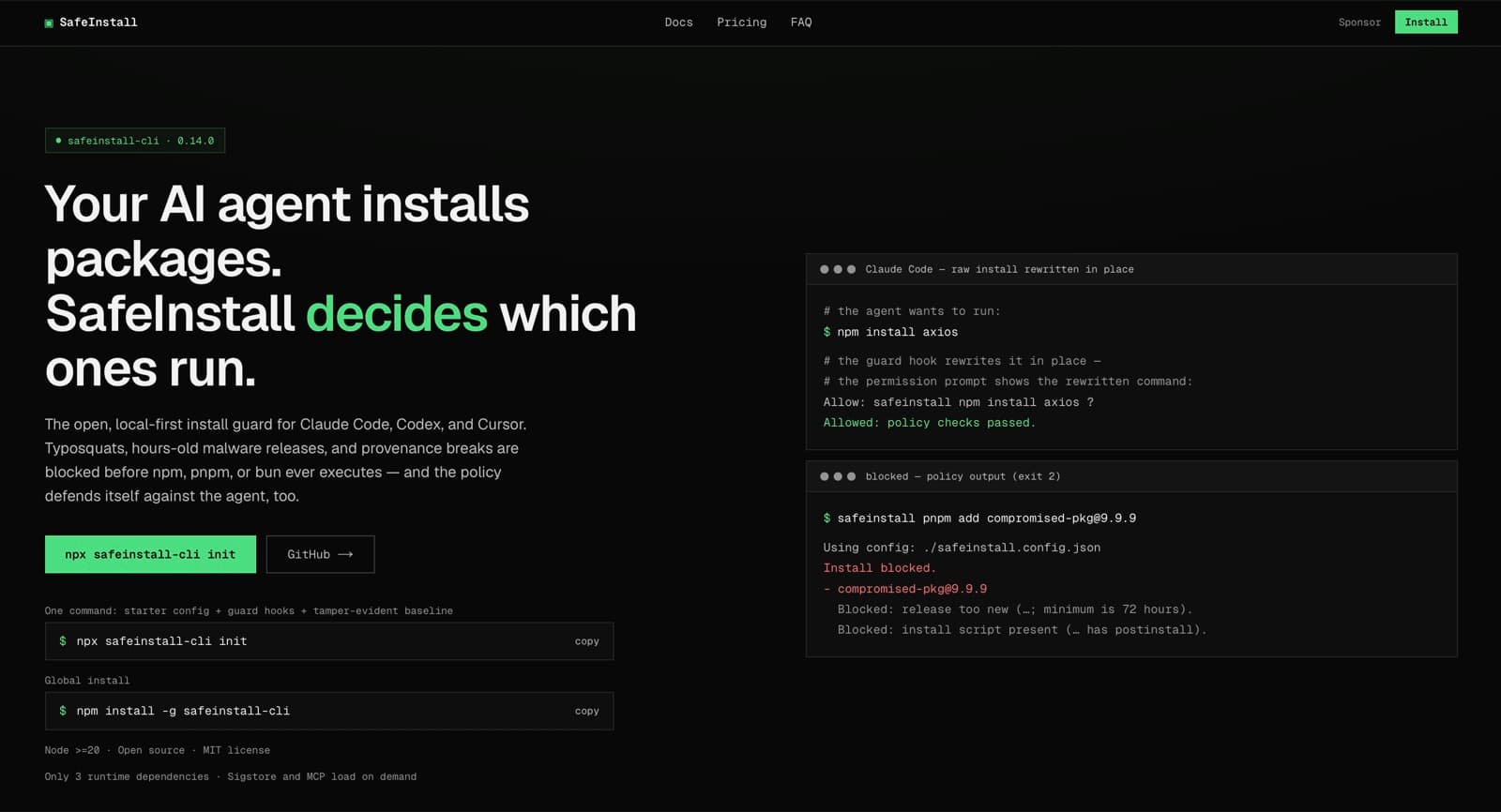
SafeInstall in the browser

AT A GLANCE

  • Gather information from approved sources.
  • Prepare enquiries and cases for your team to handle.
  • Connect several steps across different programs.
  • Ask for clarification when details are missing or unclear.
  • Keep permissions, approvals and actions traceable.

LESS SEARCHING. A BETTER START.

Before the real work begins, someone often has to collect the background information. What was agreed with the customer? Which document is missing? Who last handled the case? An AI agent can search approved systems, bring the sources together and identify open questions. For a service enquiry, for example, your team can receive the order details, earlier correspondence and a draft reply in one place. The person handling it starts with a clearer picture. This is particularly useful when the same preparation happens every day and the information is spread across several inboxes or programs.

ONE TASK, SEVERAL STEPS.

An agent can follow a task through several steps: read an enquiry, find the related case, compare the details against a checklist and prepare the next stage. You decide in advance which programs it may use and what it may change in them. Your team then does not have to initiate every step individually. If information is missing or does not match, the workflow should stop and request clarification. Preparing quotations, compiling reports and routing incoming enquiries are possible uses. For a fixed process with no exceptions, conventional automation is often the simpler option.

DELEGATE THE WORK. KEEP THE OVERVIEW.

To make the workload lighter in practice, give the agent a manageable task. It can start with reading and drafting; changes in other systems can follow once the workflow has been tested. Connected systems must enforce its access limits. For binding commitments, payments or deletions, define who must approve the action before it happens. A log records the steps taken. A clear stopping point matters too, whenever data is missing or a result looks implausible. Your team can then delegate work while still seeing what happened and where someone needs to step in.

WHAT CHANGES IN EVERYDAY WORK WITH AI AGENTS

Handling each step yourself

Finding information

Open programs and collect the relevant sources yourself

Preparing cases

Compare details and assemble documents individually

The next step

Initiate every step yourself

Exceptions

Spot missing or conflicting information yourself

Responsibility

Your team carries out the work and makes the decisions

With an agent working within clear limits

Finding information

Have approved sources searched and the findings brought together

Preparing cases

Review a prepared overview with open questions

The next step

Have several agreed steps carried out within the task

Exceptions

Receive flags for detected uncertainties and decide what to do

Responsibility

Delegate preparation; your team keeps approvals and responsibility

WHAT WE HAVE BUILT FOR THIS OURSELVES

SafeInstall, open source

An install gate for npm, pnpm and bun that blocks risky package installations before they run – for humans and for AI coding agents. It also protects the files that steer agents, using a hash baseline in the repository and in CI. MIT licence, limitations publicly documented.

Case study SafeInstall

AgentGuard

A vendor-neutral control plane for repositories in which several AI agents and humans work in parallel. Currently in private beta.

To the engineering page

Continuity Core

Records decisions and findings across AI sessions, with the origin of every entry. In daily in-house use.

To the engineering page

WHAT PEOPLE OFTEN ASK US ABOUT THIS

How does an AI agent differ from a chatbot?

A chatbot focuses mainly on conversation: It answers questions and helps people find information. An agent also has tools that let it carry out steps of a task, such as retrieving a case or creating a draft in the relevant system. The boundaries overlap: A chatbot can gain these functions too. What matters is which actions the system is actually allowed to perform.

When is an agent more useful than fixed automation?

If the same rules always lead to the same workflow, fixed automation is usually easier to check and operate. An agent can help when a task first requires interpreting text, assessing information from several sources or choosing between different next steps. The two approaches are often combined: The agent prepares the work, and a fixed workflow carries out the approved action.

Can an AI agent send emails or change data on its own?

Only if the necessary integration and permissions have been set up. You can restrict it to reading and drafting, or allow specific changes. For actions that affect others or have financial consequences, approval before execution is sensible. These limits should be enforced by the tools and connected systems, rather than relying only on instructions to the language model.

What happens if the agent misunderstands a task?

An agent can misinterpret information, miss errors or suggest unsuitable steps. Manipulated content can also influence it, such as hidden instructions in an email it reads. Narrow permissions, checks before actions, human approvals and logs help limit the consequences. They do not eliminate errors completely. The first use should therefore have a limited scope and be tested with real cases.

What determines setup effort and running costs?

The main factors are the task, the integrations needed and the approval rules. An agent that compiles an overview from a few sources needs a different setup from one that changes data in several programs. Running costs include model usage, infrastructure and maintenance. The time saved in handling work, weighed against the effort of reviewing and correcting results, shows whether the investment pays off.

WHICH TASK WOULD YOU LIKE TO DELEGATE?

Show us a workflow that involves a lot of preparation for your team. Together, we can look at which steps an agent could take on, which systems need connecting and where approval should remain.