AI FOR BUSINESS

AI FOR YOUR BUSINESS. MORE TIME FOR WHAT MATTERS.

Office work often starts with searching, copying information and asking for missing details. AI can help review documents, prepare enquiries and make information easier to find. We develop a solution for your business and connect it to the tools your team already uses.

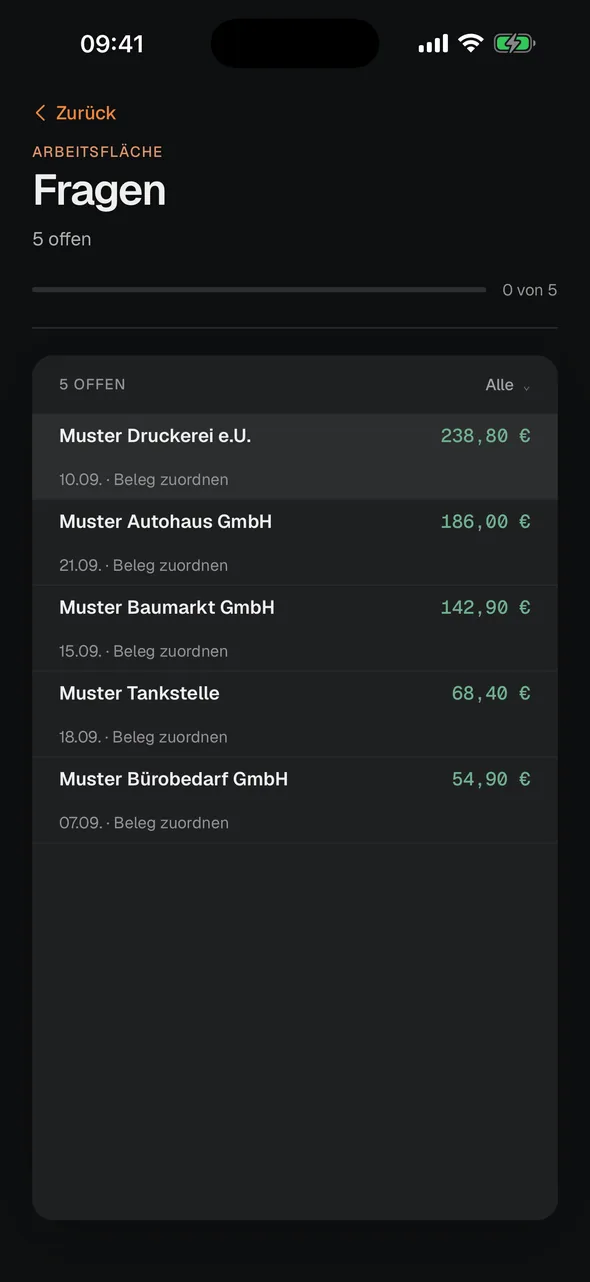
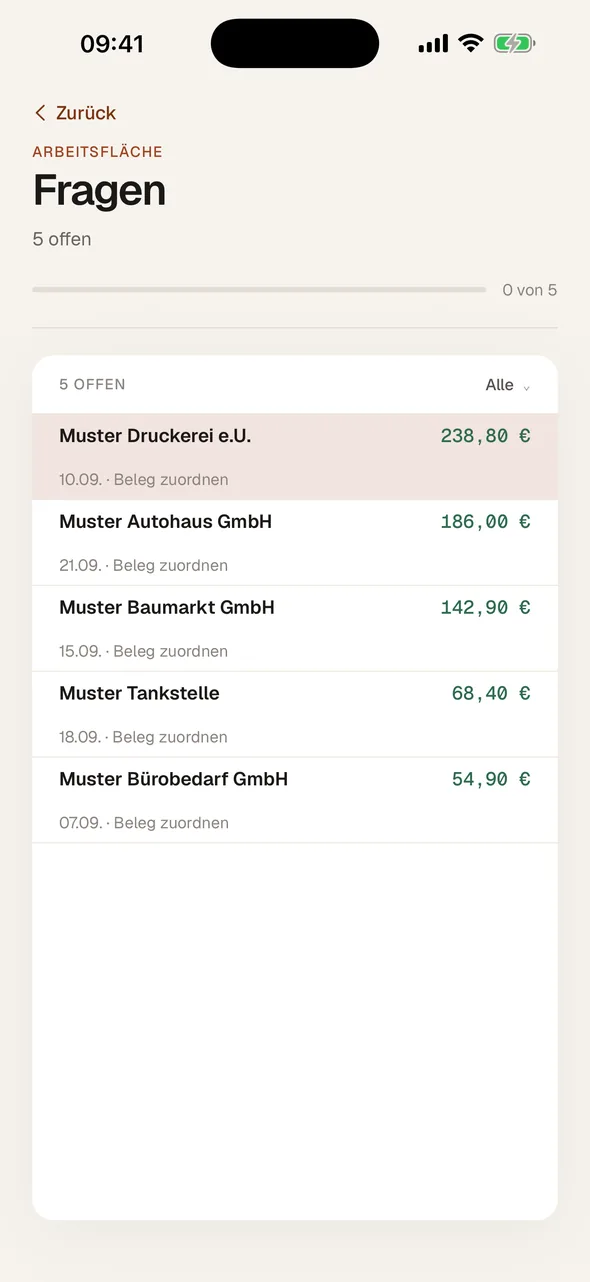
AI FOLLOW-UP QUESTION IN THE CYNTAX APP
CynTax app in dark mode: open questions about receipts
CynTax app in light mode: open questions about receipts

WHERE AI CAN LIGHTEN THE WORKLOAD

In customer service, administration or out in the field: What matters is which task becomes easier. These examples show where AI can help and what needs to be agreed before using it.

Capture receipts more easily

Invoices and receipts need not be typed in field by field. AI can extract details, sort documents and suggest matching bank transactions.

Unclear details need review; tax assessment remains with the tax adviser.

For exampleInvoicesReceipts

Help inside your software

An assistant answers questions about the current case, finds relevant information and prepares next steps. Your team can stay in the working screen more often.

Its task determines which data it may see and which actions it may perform.

For exampleAdministrationCase handling

Find knowledge in documents

Manuals, internal guidance and project documents become easier to use. Your team can ask a question and receive an answer with relevant sources to review.

Sources must be current and approved. Document search does not eliminate incorrect answers.

For exampleService knowledgeInternal processes

Customer questions on your website

Visitors can learn about services and processes outside office hours too. A chat answers common questions and points people to the right contact when needed.

Binding commitments and individual quotations need an agreed route to your team.

For exampleService questionsGetting in touch

Enquiries in familiar channels

A bot can capture enquiries in WhatsApp or collect internal questions in Slack. Information arrives in a more structured form, making the request easier for your team to understand.

The channel, data access and handover to responsible people are configured for the intended use.

For exampleWhatsAppSlack

Delegate several steps

An agent can read an enquiry, compare details from permitted sources and prepare a case. This reduces some of the searching between different programs.

Consequential actions need technical limits and approval rules before execution.

For exampleIncoming enquiriesPreparation

Keep context between conversations

An assistant can refer to approved agreements and earlier work steps. Your team spends less time explaining the same background again.

What is stored, who may access it and when it is deleted need clear rules.

For exampleProject knowledgeOngoing cases

Check software packages first

When coding agents extend software, validation rules can run before additional packages are installed. Suspicious dependencies can be identified earlier.

These checks reduce risk, but do not replace other testing or security reviews.

For exampleDevelopmentCoding agents

Trace actions and approvals

When several assistants and people are involved, a shared overview helps: Who triggered a step, what was approved and where does the task stand?

Permissions and rules must be enforced outside the language model.

For exampleApprovalsAction logs

Review reports more quickly

Long emails, meeting notes and analyses can become a readable summary. Open questions and unusual values can be gathered for further review.

Figures must come from reliable sources. A summary alone does not establish a cause.

For exampleMeetingsMonthly reports

Less follow-up work on the go

Field staff can capture documents by phone, answer questions or prepare notes for the office. Information needs to be copied over again less often.

Access, connectivity and approvals are considered for mobile use too.

For exampleField workiPhone and Android

Connect workflows sensibly

AI can interpret differently worded text and prepare details. Fixed rules then handle routing, validation or filing. AI and conventional automation complement each other.

Conventional software is often enough for clear rules that require no interpretation.

For exampleHandoversRoutine tasks

Manage ad accounts with an overview

A bot can compile campaign data and propose budget or bid changes for review. Your team gets a basis for decisions without opening every report individually.

Budget changes and other consequential actions need appropriate permissions and agreed approvals.

For exampleGoogle AdsCampaign reports

Use voice and images

A voice assistant can take questions and consider approved images. This can help when typing is awkward or a photo explains the situation more clearly.

Camera, microphone and storage access are granted deliberately. Interpretation can be wrong.

For exampleVoice interactionImage-based help

Use current context in a conversation

An ongoing conversation can receive relevant extra information, such as an approved location or a device’s current status. Less background needs to be explained aloud.

Which data is provided and when a notification is triggered are agreed in advance.

For exampleLocation contextSensor information

Prepare appointments in conversation

An assistant can collect the reason for a visit and contact details, offer a booking route and check availability through a connected calendar. This can reduce back-and-forth emails.

Whether it books directly or forwards a request depends on the integration and booking rules.

For exampleService callsViewings

PREPARE. REVIEW. MOVE FORWARD.

An AI feature should fit into your workflow. We clarify what it prepares, who decides and which steps follow fixed rules.

  1. 01 · AI

    Prepare information

    AI reads text, interprets details and prepares a suggestion. The supporting sources help your team review it.

    An enquiry with relevant documents and a draft reply

  2. 02 · TEAM

    Make decisions

    Your team reviews results where professional judgement is needed. You define which actions require approval before they happen.

    Review a commitment and approve sending it

  3. 03 · SOFTWARE

    Follow agreed rules

    The software handles calculations, validation rules and permitted changes. Access controls limit which actions an AI feature can trigger.

    Calculate amounts and save an approved transaction

What the solution needs

  • Relevant data and clear access rights.An assistant needs information for its task. Together, we define which sources it may use and who may see which results. Internal documents remain restricted to authorised people.
  • Results your team can check.Sources, validation rules and approvals help identify mistakes. Exact calculations belong in software designed for them. The level of review depends on the consequences of an error.
  • A solution that can be maintained.The model, integrations and running costs must suit the task. We account for a possible provider change in the design; affected features will need adjustments and further testing.

EXAMPLES FROM OUR WORK

Our own products illustrate different uses. They offer an insight; your solution will be shaped by the tasks in your business.

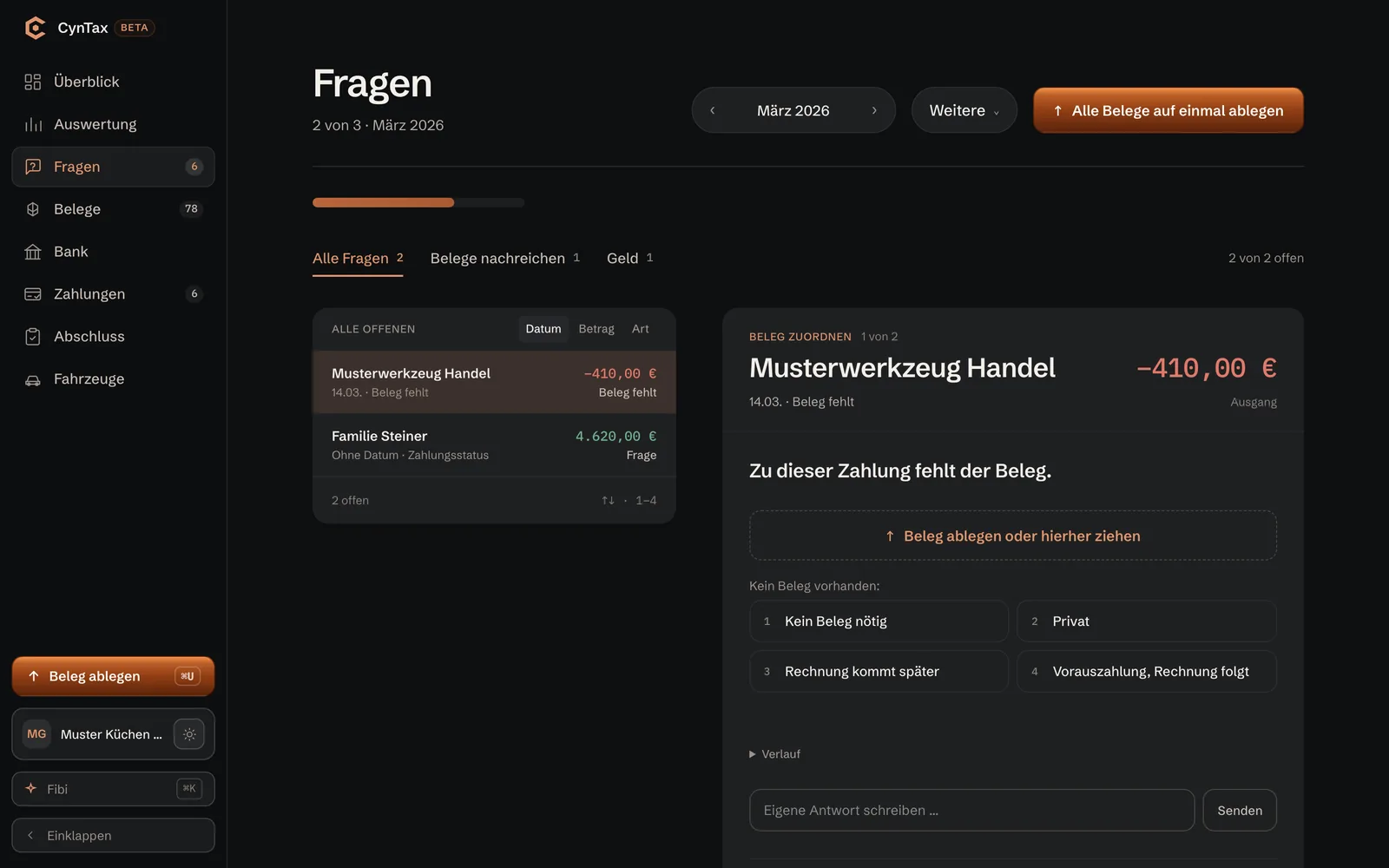
CynTax in the browser: follow-up question about a payment without a receipt

CynTax with Fibi

Receipt softwareOwn product

CynTax collects receipts and asks for missing documents relating to a payment. Fibi helps resolve open questions in the app. Suggestions are reviewed and confirmed; tax assessment remains with the tax adviser. CynTax is in its pilot phase.

Follow-up questions
instead of searching
Suggest, confirm
tax adviser decides
CynTax case study
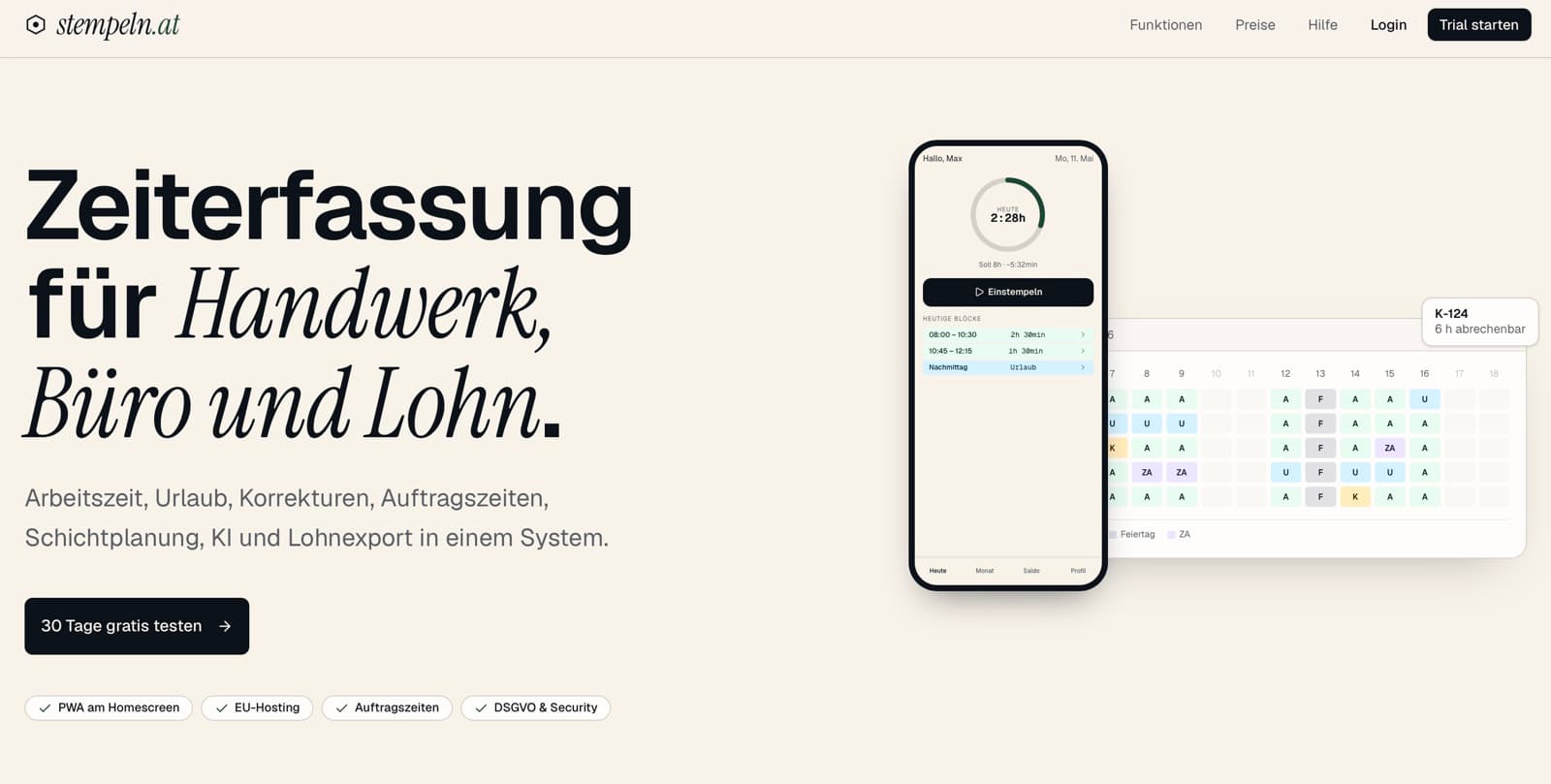
stempeln.at in the browser

stempeln.at with Leah

Time trackingOwn product

Leah supports admins in stempeln.at with balances, unusual entries and reports. We use a dedicated test corpus for the answers. The software’s calculation engine computes allowances. Conversation and calculation work together, while the calculation rules remain defined.

AI · Leah
assistant for admins
Core checks
surcharges from fixed code
stempeln.at case study
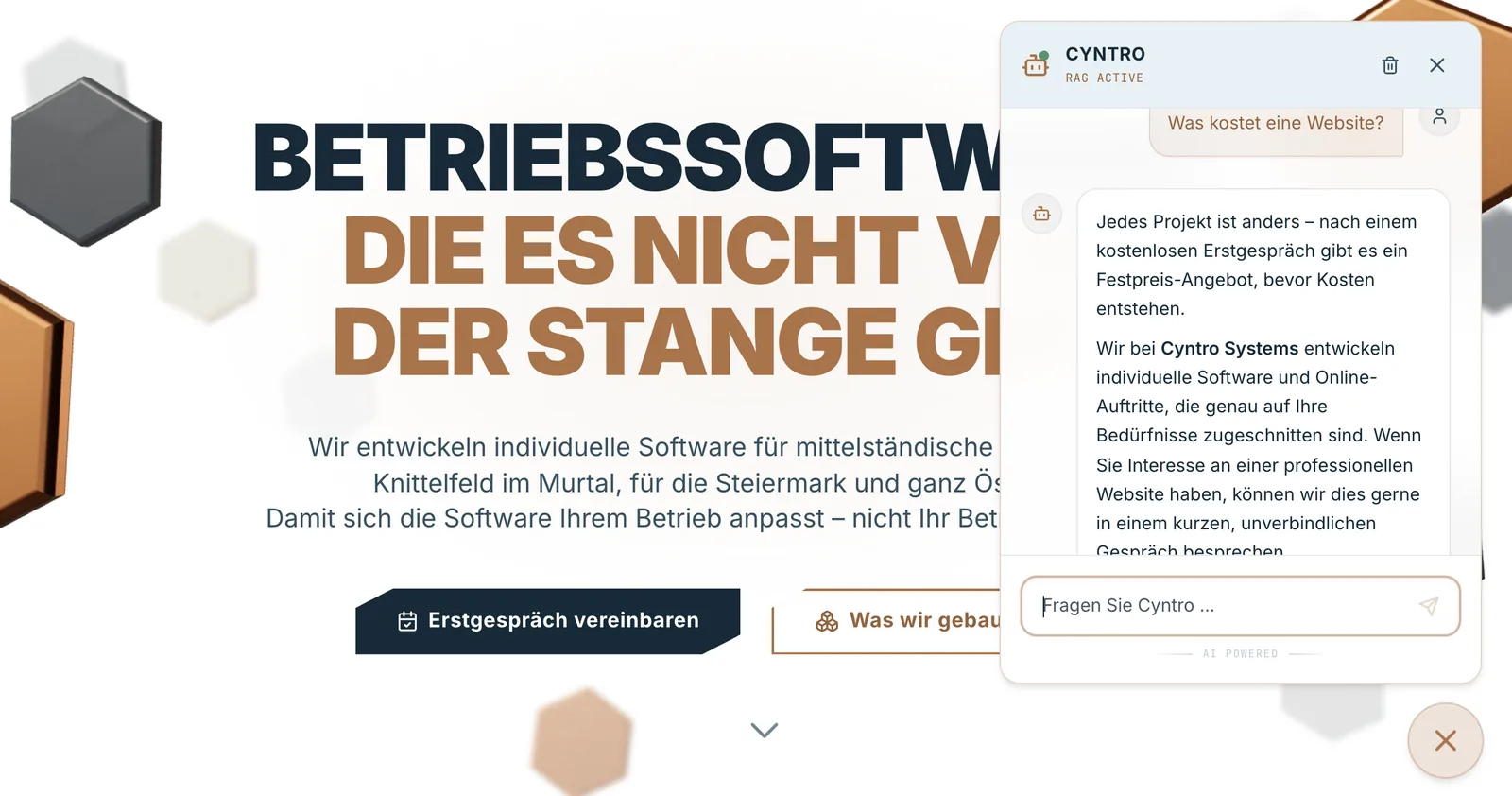
The chat on cyntro.at answers a question about cost and points to the first call

The chat on this website

Website chatIn our own use

The chat draws on this website’s content and helps with questions about our services. For a personal conversation, it links to our booking calendar. You can check its answers against the linked sources.

Leads to a first call
link to the calendar
Own content
Check answers against sources
Try the chat
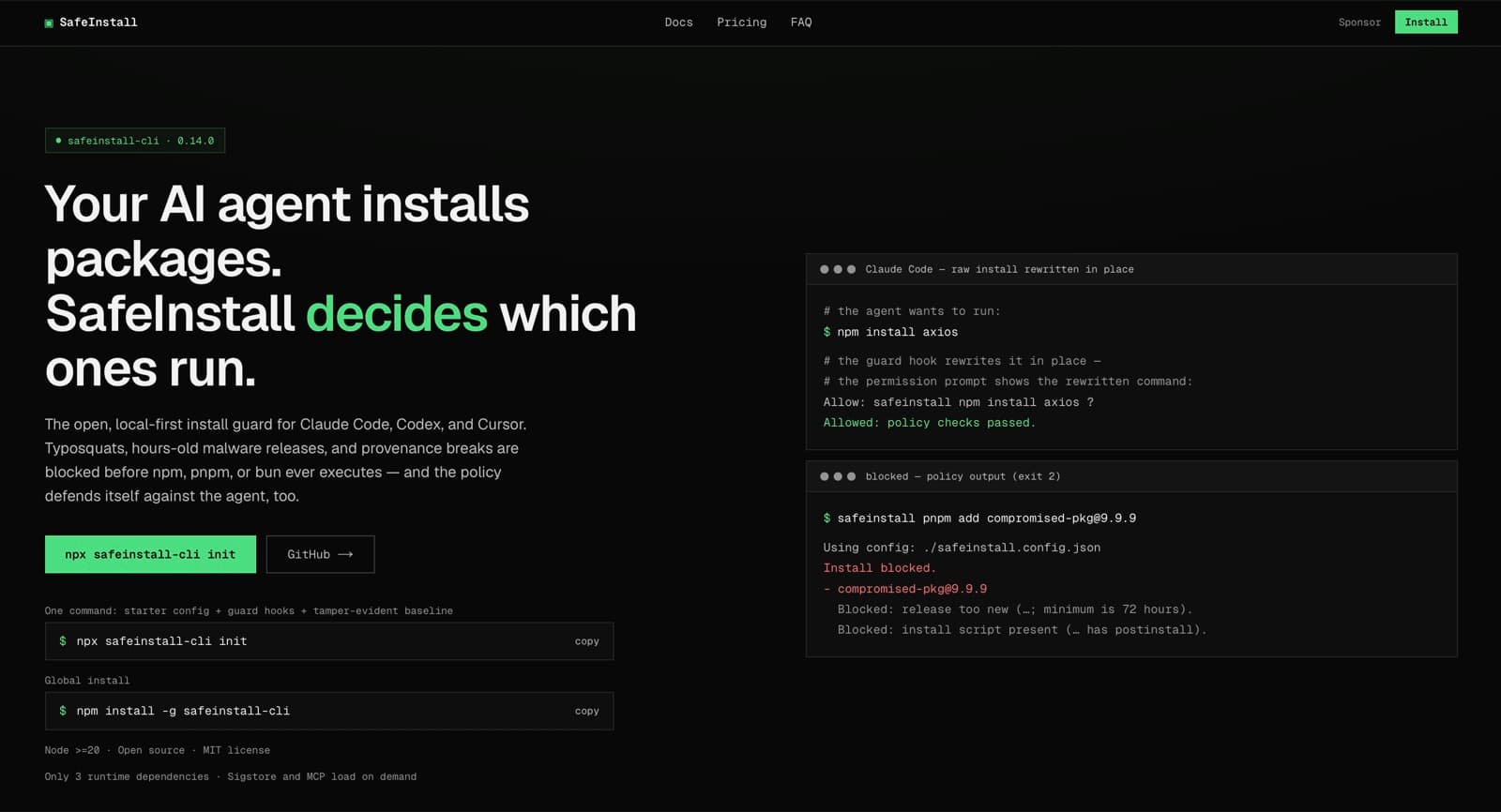
SafeInstall in the browser

SafeInstall

Install gateOpen source

SafeInstall checks software packages before installation and blocks them according to defined risk rules. This supports teams working with coding agents. The source code and documented limitations are publicly available.

Open source · MIT
on GitHub and npm
Before install
checks before anything runs
SafeInstall case study

AgentGuard, Continuity Core and ACPIP are on the engineering page. Go to the engineering page

YOUR DATA. CLEAR AGREEMENTS.

Before working with business data, we clarify the sources, access rights and processing terms.

Which information is needed?

We select the documents and fields required for the task. Unnecessary or particularly sensitive details can be excluded or removed beforehand.

Who processes the data?

You know which providers and services are involved. The model, plan and settings are chosen to suit the task and your requirements.

Where is the data stored and processed?

We check storage and processing locations for the services involved. Whether regional processing is available depends on the selected service and its features.

What is retained or used for other purposes?

Retention, deletion and any use for model training are checked against provider terms and settings. Using your documents as a knowledge source does not in itself require training the model.

Who may see results and actions?

Access rights and logs are configured for the relevant roles. We also define which content is logged and how long it is retained.
FROM A TASK TO DAILY USE

We start with a specific workflow. Relevant cases help assess whether the solution is useful and how much review it needs in daily work.

01

Understand the task

In a free initial conversation, you show us where work gets held up or repeats itself. This identifies the first area to focus on.

02

Check the foundations

We review existing sources, programs and integrations. Data access and processing are agreed before testing.

03

Try relevant cases

Approved examples help us assess results, failure cases and the work needed for corrections. This makes the benefit tangible.

04

Fit the workflow

We set up responsibilities, approvals and handovers. Your team knows how to handle results and exceptions.

05

Support daily use

Usage and results are monitored after introduction. Content, integrations and rules continue to need maintenance.

QUESTIONS ABOUT AI IN YOUR BUSINESS

Will our data be used to train AI?

That depends on the provider, the service plan and the agreed settings. We check these terms before using your data. Your documents can support search and answers without retraining the model. That alone does not determine how a provider stores or uses the data.

Do our documents need to be perfectly organised already?

No. We first look at what you have: documents, emails, databases or existing programs. Important content needs to be current, understandable and accessible for reliable answers. The specific task determines what needs updating, cleaning up or adding.

Can AI work with our existing programs?

That depends on your programs’ interfaces, access rights and export options. We check which data can be read and which changes may be allowed. This shows whether direct integration is possible or whether an approach such as file exchange makes more sense.

What does an AI solution cost?

The effort depends on the task, data sources, integrations and required checks. After the free initial conversation, you receive a fixed-price offer for the agreed scope. Ongoing costs for model usage, infrastructure and support are listed separately.

How do we deal with incorrect answers?

AI can misunderstand information, miss details or produce an answer that sounds convincing but is wrong. We therefore test the solution with relevant cases and set up sources, approvals and limits for its intended use. Professional review remains important for consequential decisions. Tests and controls reduce risk, but do not guarantee error-free results.

Do we need AI everywhere?

No. Conventional software is often better for fixed calculations, clear rules and unchanging workflows. AI is particularly relevant when processing language, documents or enquiries phrased in different ways. A suitable solution often combines both approaches.

WHAT WOULD MAKE DAILY WORK EASIER?

Bring us a task from your working day. Together, we can look at which solution would help your team, how it would fit your existing programs and what it would take to build.