APP DEVELOPMENT · IPHONE · ANDROID · WEB APP

APPS FOR YOUR BUSINESS. GET MORE DONE ON THE SPOT.

Check a job, add a photo or confirm an appointment: Many tasks can be handled where they arise. A suitable app brings the information and tools you need to your phone. Your team has less to write up later, and customers can handle more enquiries themselves.

LIGHT AND DARK MODE
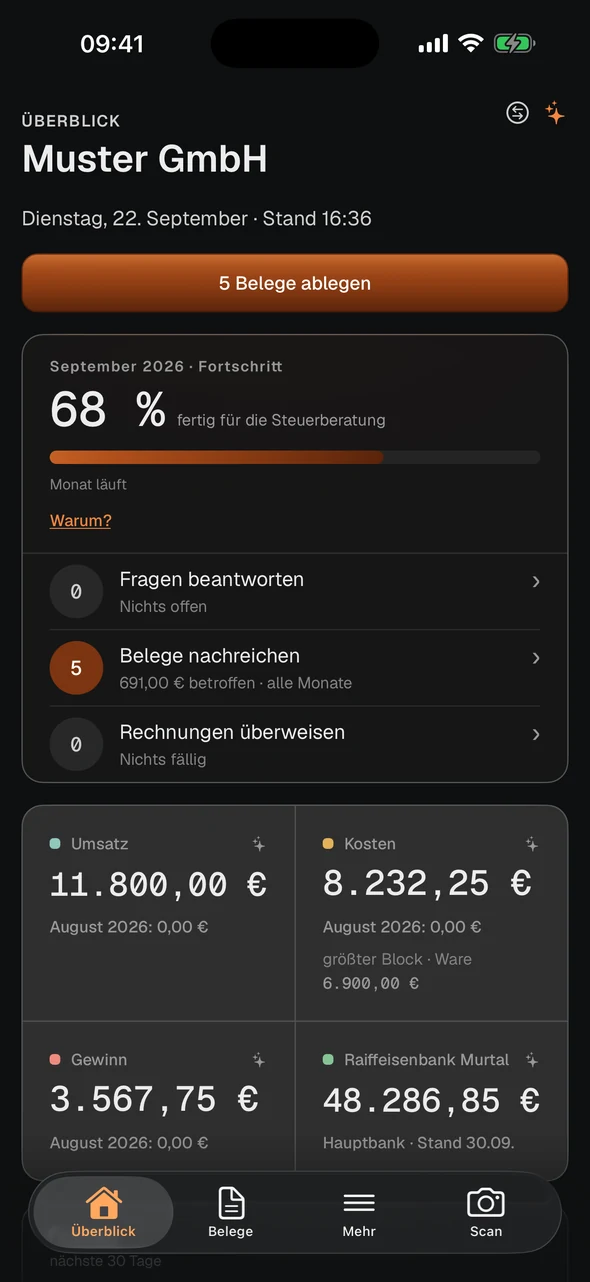
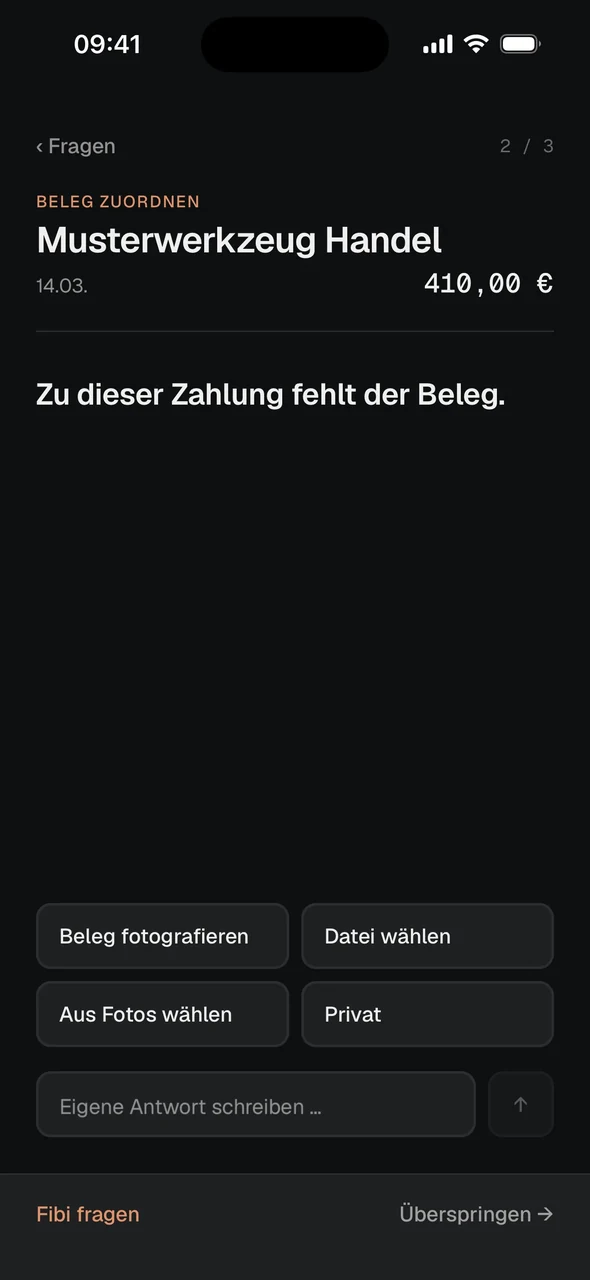
CynTax app in dark mode: overview
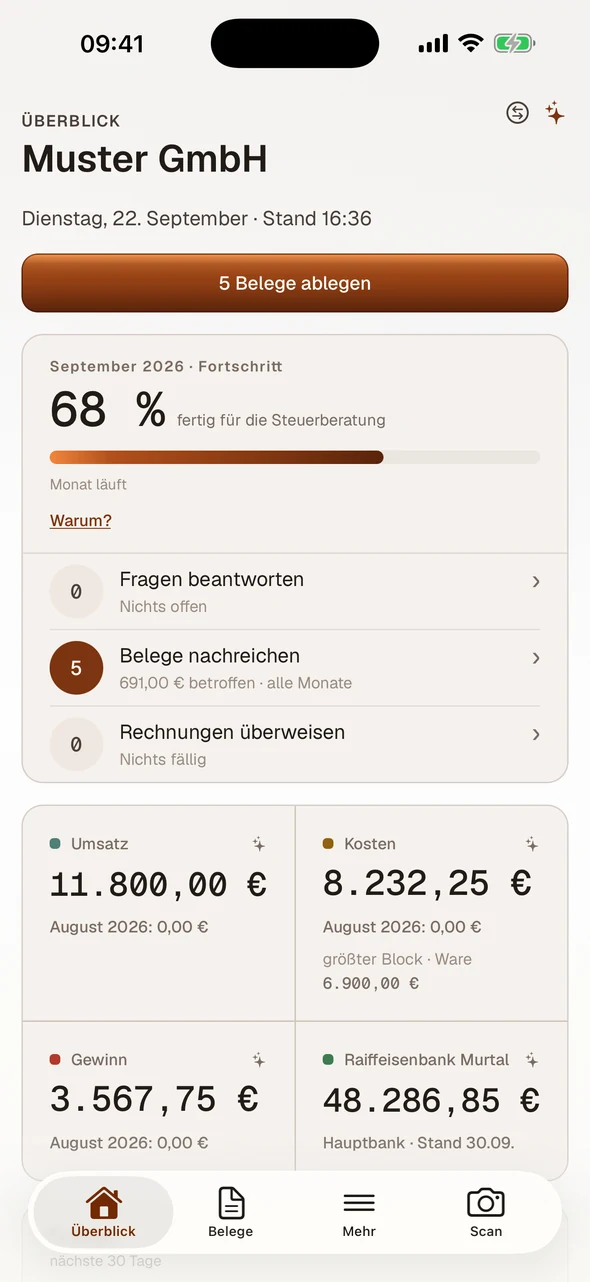
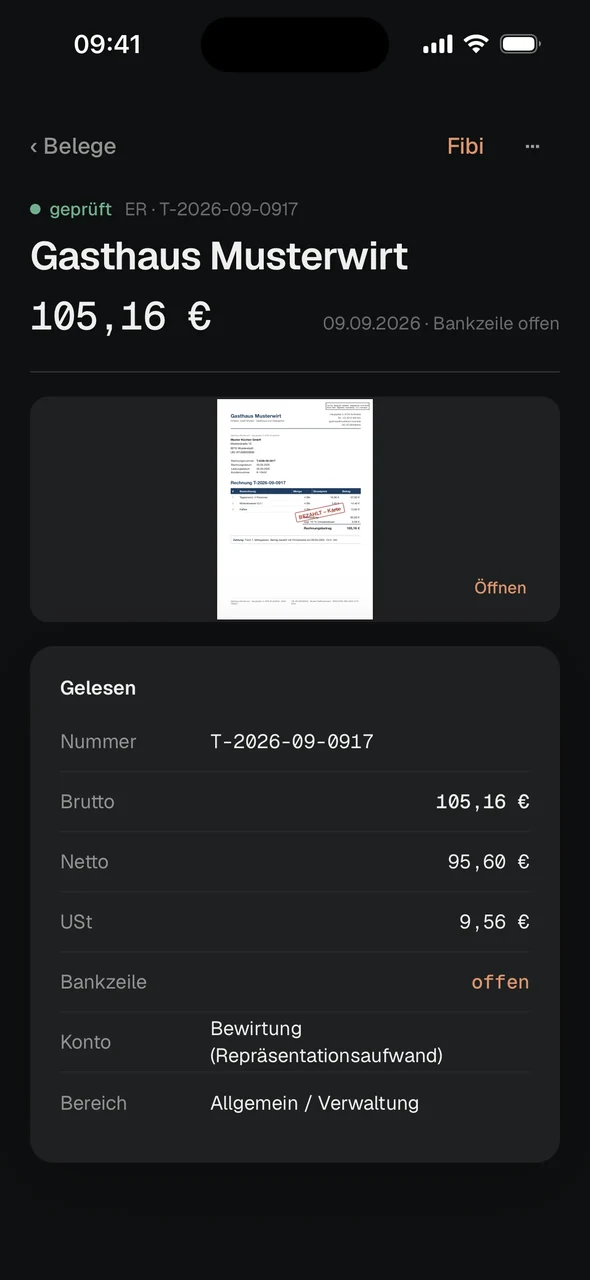
CynTax app in light mode: overview

THE RIGHT WAY TO ACCESS YOUR WORK

An app for iPhone and Android or an application in the browser: Your tasks, devices and working conditions guide the choice. We look at both before defining the setup.

App for iPhone and Android

  • Frequent tasks get shorter paths and an interface designed for the phone.
  • Camera access, scanning and notifications can be integrated into the workflow, with the necessary permissions taken into account.
  • Selected data and features can be made available locally for work without reception. Storage and later synchronisation are developed specifically for this.
  • The app can be distributed through the App Store and Google Play. Publication and updates follow the platforms’ requirements.

Web app in the browser

  • Your team accesses the application in a browser on phones, tablets and computers. Views are designed for the relevant screen sizes.
  • A link opens the application. Changes are delivered centrally, without a separate store release for the web app.
  • A web app can also offer camera access, offline features or a home screen icon. Available capabilities depend on the device and browser.

WHERE AN APP MAKES WORK EASIER

Make information available where it is needed and record details straight away: That can help in many parts of your business.

Installation and on-site service

Job details, plans and contacts are at hand during the visit. Your team can add photos, record work and prepare a service report. The office continues processing the case once the data has been transferred. Less needs to be clarified by phone or filled in later from memory.

Document work on site

Progress, hours and open issues can be recorded directly on the construction site. Photos and notes stay linked to the right project. Anyone reviewing the status later finds the details together, rather than collecting them from messages, paper notes and separate image files.

Record stock and inventory

Scan items, count quantities and report discrepancies: A mobile interface guides the process. With a suitable integration, the details reach the inventory system. The codes and devices are tested in use; extra lists for later retyping can then be avoided.

Support maintenance and inspections

At the equipment, your team opens the relevant checklist and records measurements, photos and notes in the right case. Open issues remain visible for follow-up. Planned dates and reminders help organise the work; qualified people carry out the actual inspection.

Update vehicle records on the go

Mileage, fuel receipts and damage can be recorded and assigned at the vehicle. The office receives the details for further processing. Which location data is needed and whether journeys should be recorded are defined for the specific workflow.

Offer customers convenient service

Customers can request or book appointments, check their order status and find documents. They have a regular place to handle enquiries and need to ask for updates less often. The features offered depend on your service and the information available from connected systems.

EXAMPLES FROM OUR WORK

Our own products illustrate an app for iPhone and Android and an application in the browser. The right approach for your business follows from your tasks.

tax.cyntro.at
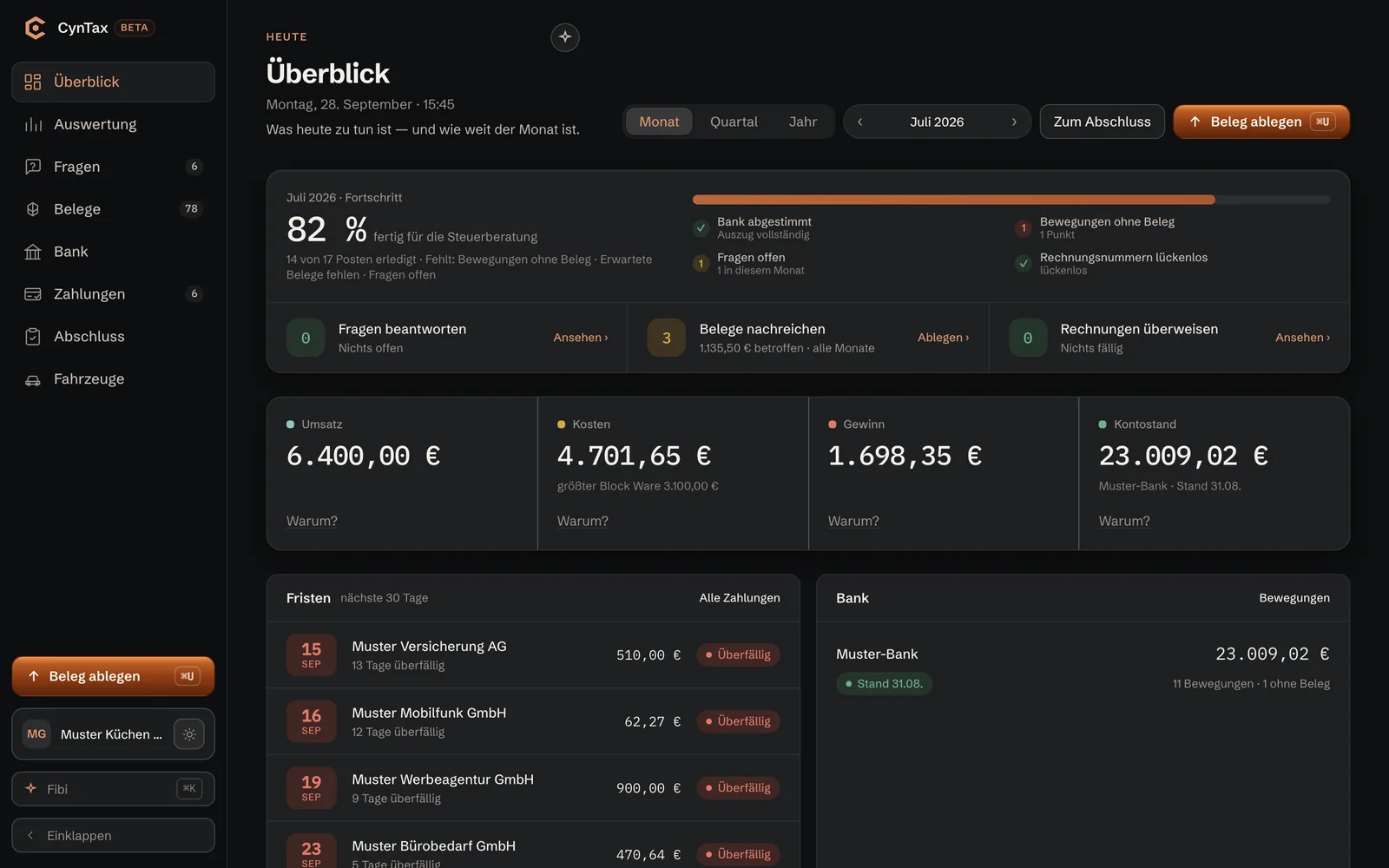
CynTax: overview in the web interface and two views of the app

CynTax

App for iPhone and AndroidOur own product

CynTax connects an app for iPhone and Android with a web interface. Receipts can be photographed on the go and questions answered in the app. Cyntro Systems GmbH is listed as the provider in both stores. The product is in its pilot phase; access requires an invitation code.

App Store · Google Play
Provider Cyntro Systems GmbH
Pilot phase
Access by invitation code

Download on the App StoreGet it on Google Play
CynTax case study
stempeln.at in the browser

stempeln.at

Web appOur own product

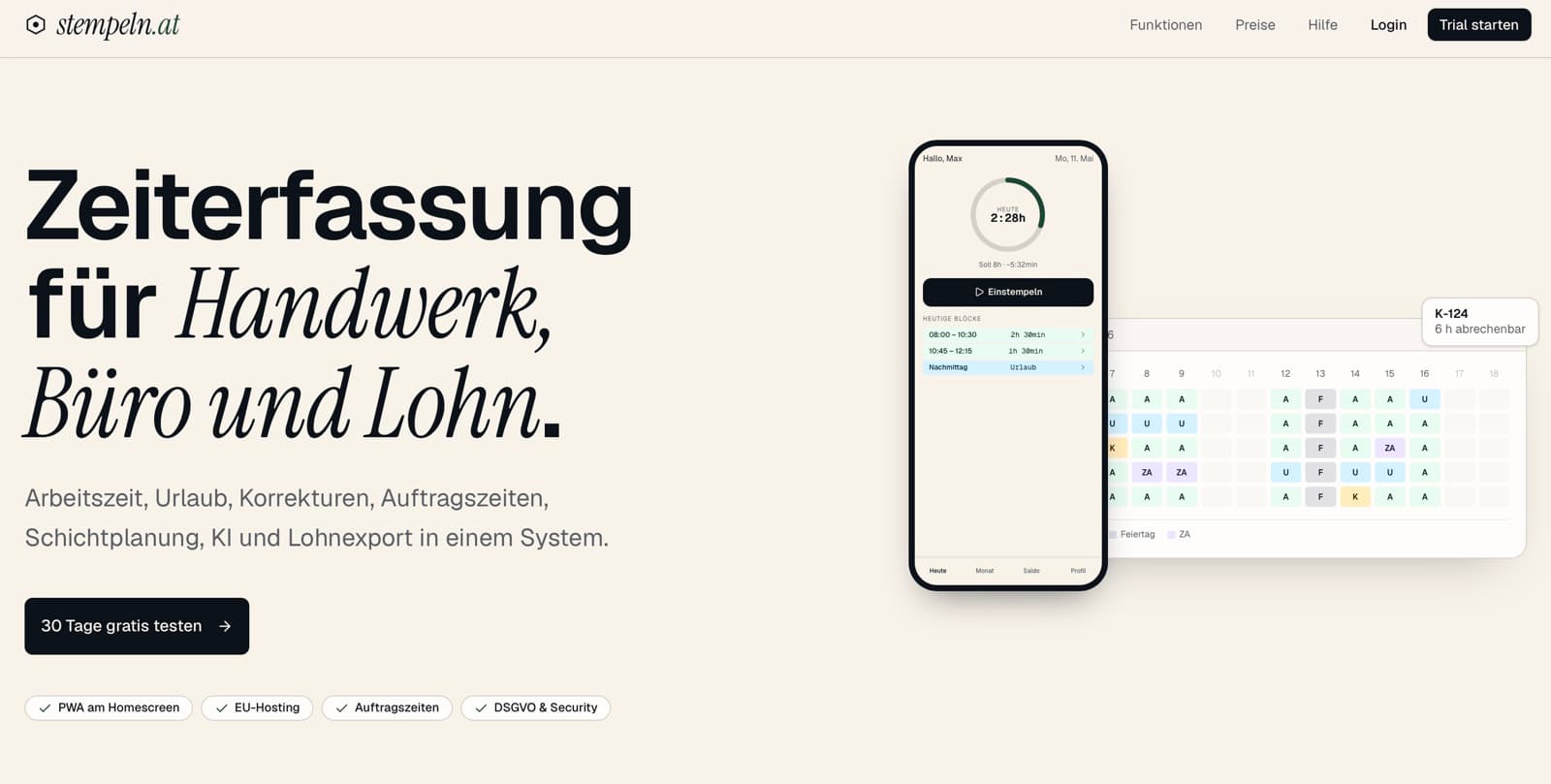
stempeln.at is a time-tracking web app. It runs in the browser and can be added to the home screen on supported devices. Mobile time entry and administration use the same application. The case study explains the setup and the reasons for this approach.

PWA
no app store
Home screen
one version for every device
stempeln.at case study

FROM A TASK TO AN APP IN DAILY USE

We plan the app around the people who use it. Features, integrations and introduction are developed within a clearly agreed scope.

01

Understand the task

In a free initial conversation, we clarify who uses the app, where it is needed and which work it should make easier.

02

Define the setup

We review devices, connectivity and existing programs. This determines the platform, data access and integrations needed.

03

Agree the scope

You receive a fixed-price offer for the agreed scope. The interface and features are developed on that basis.

04

Test and launch

We test workflows on the intended devices. For a store app, we support submission and review by Apple and Google.

05

Support daily use

Updates, bug fixes and further development are agreed with you. We discuss new requirements before implementing them.

QUESTIONS ABOUT APP DEVELOPMENT

What does an app for our business cost?

That depends on the features, required platforms and integrations. Offline use, user roles and synchronisation also affect the effort. After the free initial conversation, you receive a fixed-price offer for the agreed scope. Ongoing costs for operation, support and any additional services are discussed separately.

Can the app be used without an internet connection?

Yes, if this is developed for the intended tasks. We define which data must be available locally, what can be recorded on the go and how it will be synchronised later. Not every feature can work offline. Web apps can offer offline features too; the limits depend on the setup, device and browser.

How are data, source code and access rights handled?

The offer sets out which source code rights are transferred and how access, data exports and handover are handled. It also covers services used and store accounts. Before commissioning the work, you know what you will receive and what is needed to operate the app or move to another provider later.

Which account is used to publish the app?

We agree this in advance. Publication can use your developer account or, depending on the project and platform requirements, Cyntro’s account. The account, displayed provider name and responsibility for access are clarified before submission. Approval is granted by the respective store.

What happens after introduction?

Apps and their integrations need maintenance when operating systems, interfaces or store requirements change. We can provide support and agree its scope with you. Bug fixes, updates and additional features are coordinated transparently.

WHAT WOULD YOU LIKE TO DO MORE EASILY ON THE GO?

Show us a task from your working day. Together, we can look at how an app could help your team or your customers and which integrations it would need.